How to Use a Pomodoro Timer: A Step-by-Step Guide for Beginners
A practical walkthrough of your first day with a Pomodoro timer: setting it up, planning tasks, running sessions, taking breaks and reviewing your focus.
On this page
- Step 1: Choose your timer settings
- Step 2: Plan before you press start
- Step 3: Prepare your space
- Step 4: Start the timer and work on one thing
- Step 5: Stop when the timer rings, and take the break
- Step 6: Repeat, then take a long break
- Step 7: Review your day in two minutes
- Troubleshooting common problems
- Paper timer or app?
- Questions people ask
Key takeaways
- Start with the defaults: 25 minutes of focus, 5-minute short breaks, a 10 to 15-minute long break after four sessions.
- Decide the task before you press start, and write down the first concrete step.
- Silence your phone, keep the timer visible and stop when it rings.
- Review your sessions at the end of the day and adjust the lengths after a week, not after one session.
A Pomodoro timer is one of the simplest productivity tools there is: it counts down a block of focused work, then a break, then repeats. Yet many people try it once, feel interrupted by the alarm, and give up. The difference between “that didn't work for me” and “I can't work without it” is mostly in how you set it up and use it.
This guide walks you through your first day with a Pomodoro timer, from settings to your end-of-day review. If you are new to the method itself, start with our complete guide to the Pomodoro Technique.
Step 1: Choose your timer settings
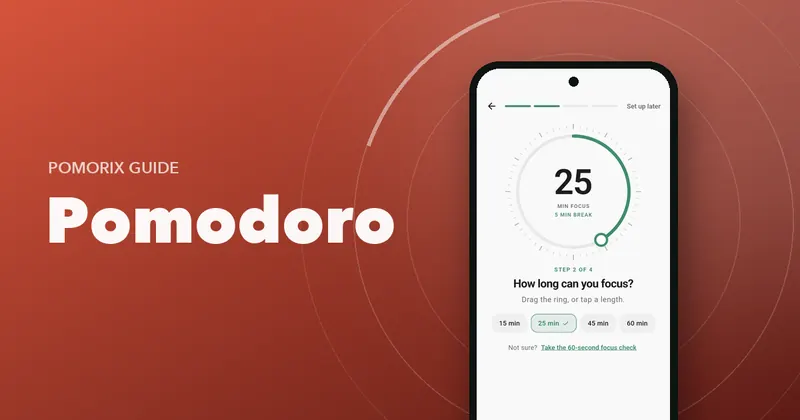
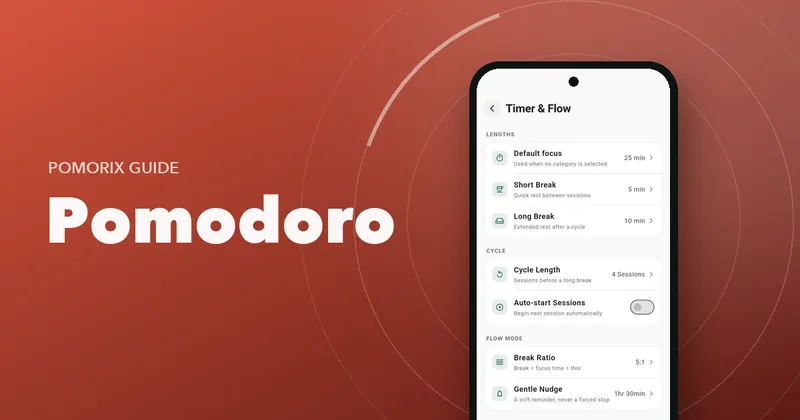
Every Pomodoro timer has the same core settings. Here is what each one does and where to start:
| Setting | What it controls | Start with |
|---|---|---|
| Focus length | How long each work session lasts | 25 minutes |
| Short break | The rest between focus sessions | 5 minutes |
| Long break | The longer rest after a full cycle | 10 to 15 minutes |
| Sessions before long break | How many focus sessions make a cycle | 4 |
| Auto-start | Whether the next session begins on its own | Off at first |
Resist the urge to customise everything on day one. You don't yet know how your attention behaves, so the classic settings are a good baseline. After a week, you'll have real data to adjust from. When you're ready, read how to choose your Pomodoro length.
Step 2: Plan before you press start
The most common reason a pomodoro fails is that you start the timer without knowing what you're going to do. You spend the first eight minutes deciding, and the session feels wasted.
Spend five minutes at the start of the day writing a short list:
- What are the 1 to 3 things that matter most today?
- How many sessions might each take? A guess is fine.
- What is the very first step of the first task? “Open the slides and outline section 2” beats “work on presentation”.
If you use categories (Study, Work, Reading and so on), choose one as well. It costs a second and makes your stats far more useful later, because you'll see where your time really goes.
Step 3: Prepare your space
Give the next 25 minutes a fair chance:
- Put your phone on Do Not Disturb, face down, ideally out of reach. If your timer runs on your phone, that's fine: just leave the timer screen open and nothing else.
- Close tabs and apps you don't need for this task.
- Get water, and anything else you'll want, before you start.
- If noise bothers you, put on headphones with a steady background sound like rain or brown noise. More in choosing focus sounds.
Step 4: Start the timer and work on one thing
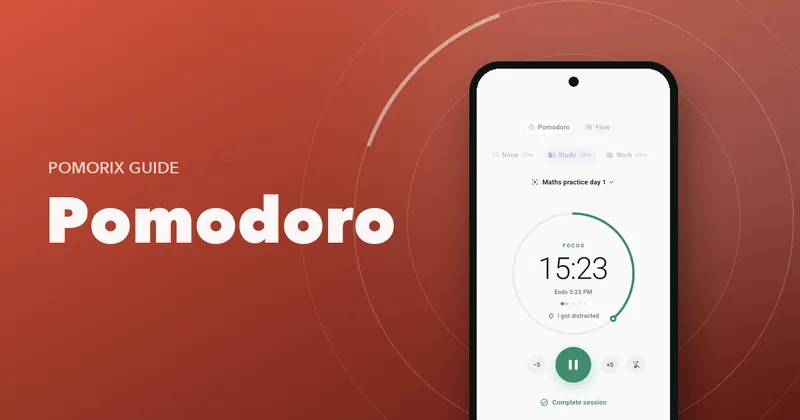
Press start and begin with that first step you wrote down. A few rules make the session work:
- One task. If a different task pops into your head, write it on a “later” list and continue.
- No checking. Email, chat and news wait until the break.
- Don't watch the clock. The timer is there so you don't have to. A glance at the progress ring is fine; counting seconds isn't.
- Finished early? Use the rest of the session to review or improve what you did, or plan the next step.
Expect the first few sessions to feel bumpy. Your brain is used to switching whenever it feels like it, and it will protest. That itch fades after a few days.
Step 5: Stop when the timer rings, and take the break
This is the step people skip, and it's the one that keeps you fresh all day. When the alarm sounds:
- Finish your sentence or line, then stop.
- Jot a quick note of where you were, so restarting is easy.
- Stand up and leave the screen: stretch, get water, look out of a window.
Avoid using the break to scroll. It doesn't rest your attention, and five minutes turns into fifteen. See 25 Pomodoro break ideas for better options.
Step 6: Repeat, then take a long break
After four sessions (about two hours including breaks), take a longer break of 10 to 30 minutes. Eat something, go for a short walk, or just sit without input. Then plan your next cycle.
If you notice you are in a great flow when the timer rings, you have two options. You can stop anyway (often the best choice, as it makes the next start easier), or, for deep creative work, switch to a count-up timer where you decide when to stop. Read about Flowtime vs Pomodoro to see which suits you.
Step 7: Review your day in two minutes
At the end of the day, look back:
- How many sessions did you complete?
- Which tasks did they go to? Did the important ones get time?
- How often did you get distracted, and by what?
- Were your estimates close?
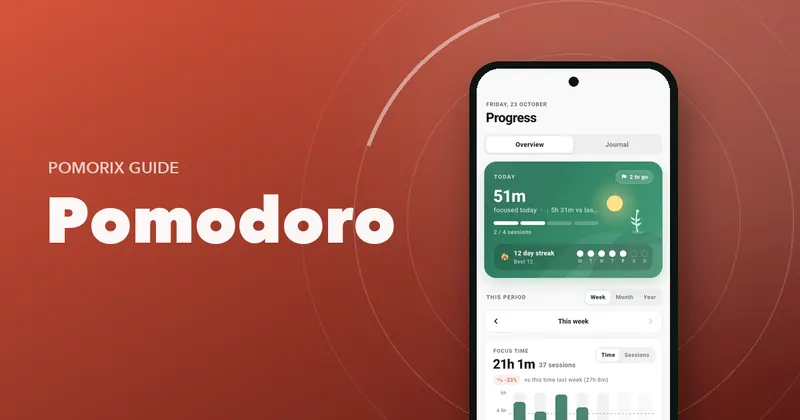
This short review is where the real improvement happens. After a week you'll know your realistic daily capacity, your best hours and your biggest distractions. Here's more on tracking your focus time.
Troubleshooting common problems
“25 minutes is too long, I can't stay focused”
Drop to 15 or even 10 minutes. Finishing short sessions builds confidence and attention. Increase by five minutes each week.
“25 minutes is too short, the alarm breaks my flow”
Try 45 or 50 minutes with a 10-minute break, or use Flow mode for deep work. Keep 25 minutes for tasks you're avoiding.
“I keep skipping breaks”
Turn on auto-start for breaks so they begin automatically, and choose a louder alert. Remind yourself that breaks are how you'll still be sharp at 4 pm.
“I forgot to start the timer”
It happens. If your app allows it, add the session by hand so your stats stay accurate, then start the timer for the next one.
Paper timer or app?
A kitchen timer is charming and distraction-free. An app adds things a kitchen timer can't: automatic cycles, break reminders, task lists, sounds, and a record of every session. If you study or work on your phone anyway, a focused app with no ads is the easiest way to stick with it. Here's what to look for in a Pomodoro app for Android.
Questions people ask
What are the best Pomodoro timer settings for beginners?
25 minutes of focus, a 5-minute short break, and a 10 to 15-minute long break after four focus sessions. Use these for a week before changing anything, so you learn how your focus really behaves.
Should I auto-start the next Pomodoro?
Auto-start helps if you tend to stretch breaks or forget to come back. Turn it off if you want a moment to decide what to work on next. Many people auto-start breaks but start focus sessions by hand.
What if I finish my task before the timer ends?
Keep the session going and use the time to review, tidy up or plan the next step. If the next task is closely related, you can move on to it. Avoid stopping early just to check messages.
Can I pause a Pomodoro?
Most timers let you pause, and real life sometimes requires it. But a pomodoro works best as an unbroken block. If you pause for more than a minute or two, it is usually better to finish the session and start a fresh one.