How to Track Your Study Hours (and Why It Makes You Study More)
Why tracking focused study time works, what to measure, how to review it weekly, and the easiest ways to log study hours without extra effort.
On this page
Key takeaways
- Track focused time, not time at your desk. Timed sessions make that automatic.
- Log sessions by subject or project so you can see where your time really goes.
- Review weekly: totals, balance between subjects, best hours and distractions.
- Research on goal progress suggests that monitoring progress makes you more likely to reach your goals.
Ask a student how much they studied today and you'll usually get a guess: “About five hours?” Track it properly and the answer is often closer to two. That gap isn't something to feel bad about. It's the most useful piece of information you can have, because you can't improve what you can't see.
Here's how to track study hours in a way that's accurate, effortless and actually changes your behaviour.
Why tracking works
Tracking does three things at once:
- It tells the truth. You see real focused time instead of time spent near your books.
- It motivates. Seeing a number go up is rewarding, and you'll want to protect a good week.
- It reveals patterns. Your best hours, neglected subjects and biggest distractions become obvious.
There's research behind this too. A large 2016 meta-analysis by Benjamin Harkin and colleagues, covering well over a hundred studies, found that monitoring progress toward a goal made people more likely to reach it, and the effect was stronger when progress was physically recorded.
What to track (and what to skip)
| Track | Why |
|---|---|
| Focused minutes or sessions | Your core measure of real study |
| Subject or project | Shows balance and neglected areas |
| Time of day | Reveals your most productive hours |
| Distractions | Shows whether focus is improving |
| A short note (optional) | What you covered, to help reviews and spacing |
Skip tracking things you won't use. Detailed ratings for every session and complicated spreadsheets feel productive for a week, then become a chore you abandon.
Track focused time, not desk time
The easiest way to make tracking honest is to only count time inside a timed focus session. If you use the Pomodoro Technique, each completed session is a clear, countable unit. Breaks, phone checks and the ten minutes spent finding the right notes don't count, and that's the point.
Three ways to track study hours
1. Paper log
A notebook with a row per session: date, subject, minutes. Simple and distraction-free, but you have to remember to fill it in, and you'll do the maths for weekly totals yourself.
2. Spreadsheet
Flexible and great for custom charts, but logging every session by hand is tedious, and most people stop after a couple of weeks.
3. A study timer that logs automatically
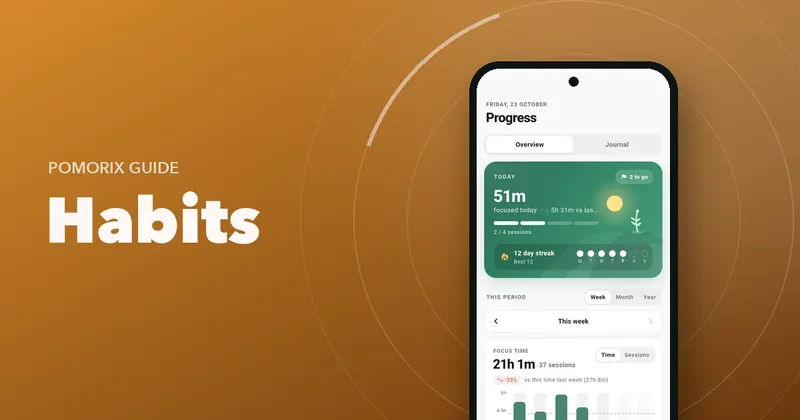
The timer records each session the moment it ends, tagged with subject and time. Zero extra effort, which is why it's the method people stick with. Look for one that lets you fix mistakes and add sessions you forgot to time.
Your weekly review (10 minutes)
Data is only useful if you look at it. Once a week, ask:
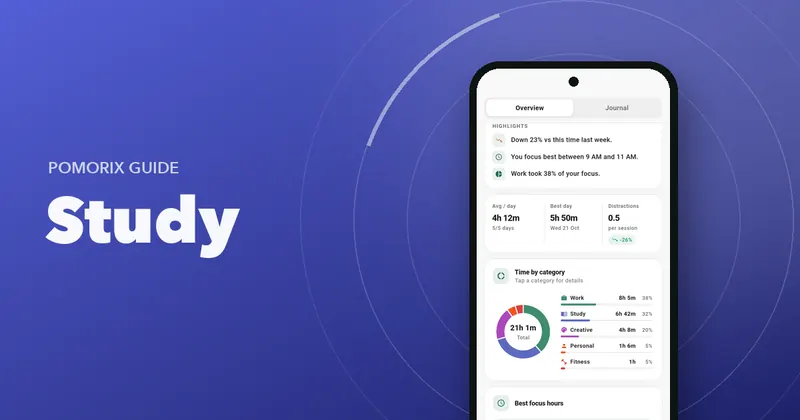
- Total: how much focused time this week, compared with last week?
- Balance: did each subject or project get the time it needs?
- Consistency: how many days did I study? Were there long gaps?
- Timing: when were my best sessions? Am I using those hours for hard work?
- Distractions: going up or down? What caused them?
Then make one small change for next week. Just one. Move your hardest subject to your best hour, or add one session to a neglected subject.
Notes turn a log into a study journal
Adding a one-line note to a session (“equilibrium, Kc questions 1–8”) makes your log far more useful. You can see what you covered and when, which helps you plan spaced reviews. A searchable journal means you can find “equilibrium” three weeks later and know exactly when you last studied it.
Tips to keep tracking without effort
- Make logging automatic wherever you can. Every manual step is a reason to stop.
- Use categories consistently. Five to eight is plenty: one per subject or major project.
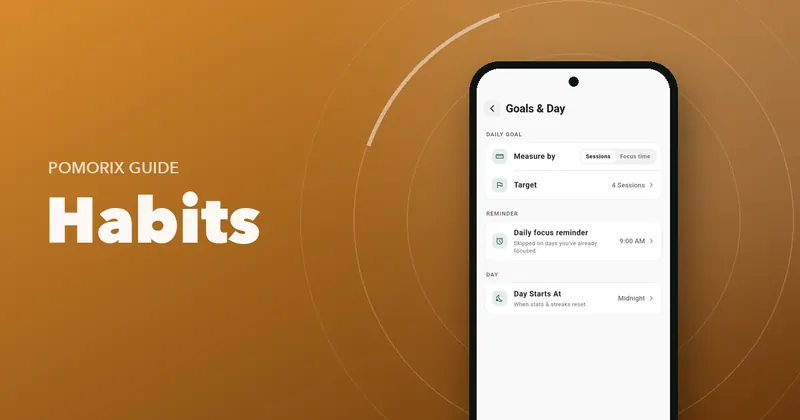
- Set your day's start time if you study late, so a 1 am session counts for the right day.
- Pair tracking with a daily goal so the numbers mean something today, not just in review.
- Back up your history. Months of data are worth protecting when you change phones.
What to do with the numbers
Tracking isn't about judging yourself. Use the data to plan better: set a realistic daily goal (see how many pomodoros a day is realistic), build a revision plan (see making an exam study schedule) and grow a habit that lasts (see building a daily focus habit).
Questions people ask
What is the best way to track study hours?
Use a study timer that logs each focus session automatically, tagged with the subject. It's more accurate than estimating at the end of the day and takes no extra effort. A paper log works too if you fill it in right after each session.
Should I track time at my desk or focused time?
Focused time. Time at your desk includes breaks, phone checks and drifting, so it overstates how much you studied. Counting completed focus sessions gives an honest number you can improve.
How many hours should I study per day?
It depends on your situation, but 3 to 5 hours of genuinely focused study is a strong full day for most students, and 1 to 2 hours alongside classes is realistic. Consistency matters more than any single big day.
Can I export my study hours?
Many study timers let you export your history. Pomorix, for example, exports sessions to CSV, which you can open in Excel or Google Sheets for your own analysis.