The Pomodoro Technique for Programmers: Focus Without Losing Your Flow
How developers can use the Pomodoro Technique without breaking flow: longer sessions, Flow mode, handling builds and code reviews, and protecting focus.
On this page
Key takeaways
- Programming has a high context-loading cost, so 25-minute sessions can be too short for deep coding.
- Use 50/10 or a count-up Flow timer for building and debugging; keep 25/5 for reviews, email and chores.
- Leave a breadcrumb (a note or failing test) before every break so restarting is instant.
- Protect sessions from chat and meetings, and track focus time by project.
Ask developers about the Pomodoro Technique and you'll hear two reactions. Some swear by it. Others say: “The alarm rings just as I've got the whole system loaded in my head. No thanks.”
Both are right. Programming has a unique focus profile, and the classic 25/5 rhythm needs some tuning to fit it. Here's how to make Pomodoro work for coding without breaking your flow.
Why programming is different
Programming has a high context-loading cost. Before you can make progress, you have to hold a lot in your head: the data flow, the function you're changing, the edge cases, the bug's symptoms. Getting there can take 10 to 20 minutes. An interruption (a chat ping, a meeting, an alarm) can wipe that context instantly.
That's why interruptions are so expensive for developers, and why a timer that interrupts too often can be counterproductive. But the opposite problem is just as real: hours drifting between Slack, email, pull requests and “quick” fixes, with no real deep work done.
Match the timer to the type of work
| Work | Suggested timer | Why |
|---|---|---|
| New feature, complex refactor | 50/10 or Flow | Needs long context-loading |
| Debugging a hard problem | Flow with a 90-min nudge | Unpredictable; easy to lose track of time |
| Code review | 25/5 | Bounded, benefits from fresh eyes |
| Writing docs or tests | 25/5 or 50/10 | Often avoided; timer helps start |
| Email, chat, tickets | 25/5 batches | Keeps shallow work contained |
| Learning a new language or framework | 25/5 | Short sessions with breaks help it stick |
Not sure about lengths? Compare them in 25/5, 50/10 or 90 minutes.
Use Flow mode for deep coding
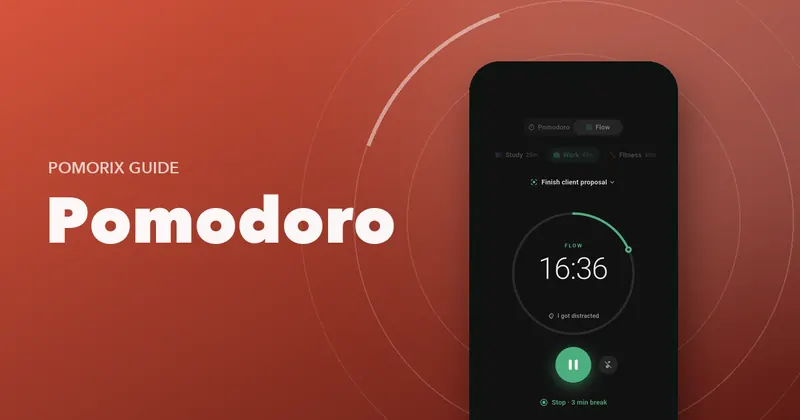
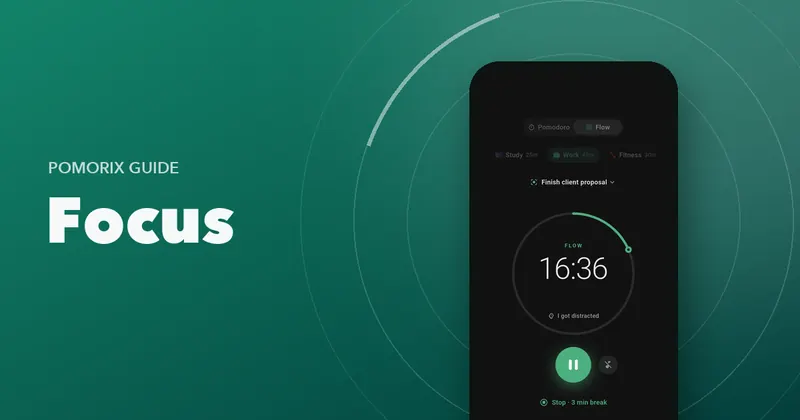
A count-up timer is often the better tool for deep programming work. You start it, code until your focus naturally dips (or you hit a natural stopping point, like a passing test), then take a break proportional to the time you worked. You keep the benefits of tracked, intentional focus without an alarm in the middle of a tricky function. Read Flowtime vs Pomodoro for the details.
The risk with long coding sessions is losing hours without moving, drinking or eating. A gentle nudge after 60 or 90 minutes solves that.
Leave a breadcrumb before every break
The single best habit for coding with timers: before you stop, leave yourself a note about the exact next step. Options:
- A
// NEXT:comment where you stopped. - A failing test that describes the next behaviour to implement.
- One line in your notes: “check why the cache key ignores locale”.
When you come back, you don't have to rebuild context from scratch. You're productive within a minute.
Don't let builds and test runs become context switches
Waiting for a build, deploy or test suite is a classic trap: you open chat “for a second” and lose the next twenty minutes. Instead:
- Review your own diff while you wait.
- Write the next test or sketch the next function.
- Stretch and look away from the screen.
- If it takes more than a few minutes, treat it as your break.
Protect your sessions
- Set chat to “do not disturb” during focus sessions and say so in your status.
- Batch communication: check messages between sessions, not during.
- Block deep work on your calendar, ideally in the morning before meetings start.
- Turn off phone notifications, or let your timer do it automatically.
- Close unrelated tabs: documentation for this task only.
A sample developer day
- 9:00 One 25-minute session: plan the day, triage messages.
- 9:30–11:30 Deep block: feature work in Flow, with a break at a natural stopping point.
- 11:30 25-minute session: code reviews.
- Afternoon Meetings and communication.
- 15:30–16:30 One 50-minute session: tests, docs or a bug fix.
- 16:45 Leave breadcrumbs for tomorrow.
Track your deep coding time
Developers love metrics, so measure your own focus: hours of deep coding per week, which projects get your time, your most productive hours. It's often eye-opening how little uninterrupted coding time a “busy” week contains, and it's useful evidence when you're arguing for fewer meetings. Read more in how to do deep work.
Questions people ask
Is the Pomodoro Technique good for programming?
Yes, with adjustments. Classic 25-minute sessions work well for code reviews, small fixes and getting started. For deep coding and debugging, longer sessions (45 to 90 minutes) or a count-up Flow timer usually work better because loading a complex problem into your head takes time.
What should a developer do when the timer rings mid-thought?
Finish the line or thought, then leave a breadcrumb: a short comment, a note or a failing test that describes the next step. Restarting after the break then takes seconds instead of minutes.
How do I use breaks while waiting for a build or test run?
Short waits are a trap for context switching. If a build takes a few minutes, use it to review your own diff, write the next test or stretch, rather than opening chat or social media.
How many hours of focused coding a day is realistic?
Many developers find 3 to 4 hours of genuinely deep coding a day is a strong, sustainable amount. The rest of the day naturally goes to reviews, meetings, communication and lighter tasks.